Workflow
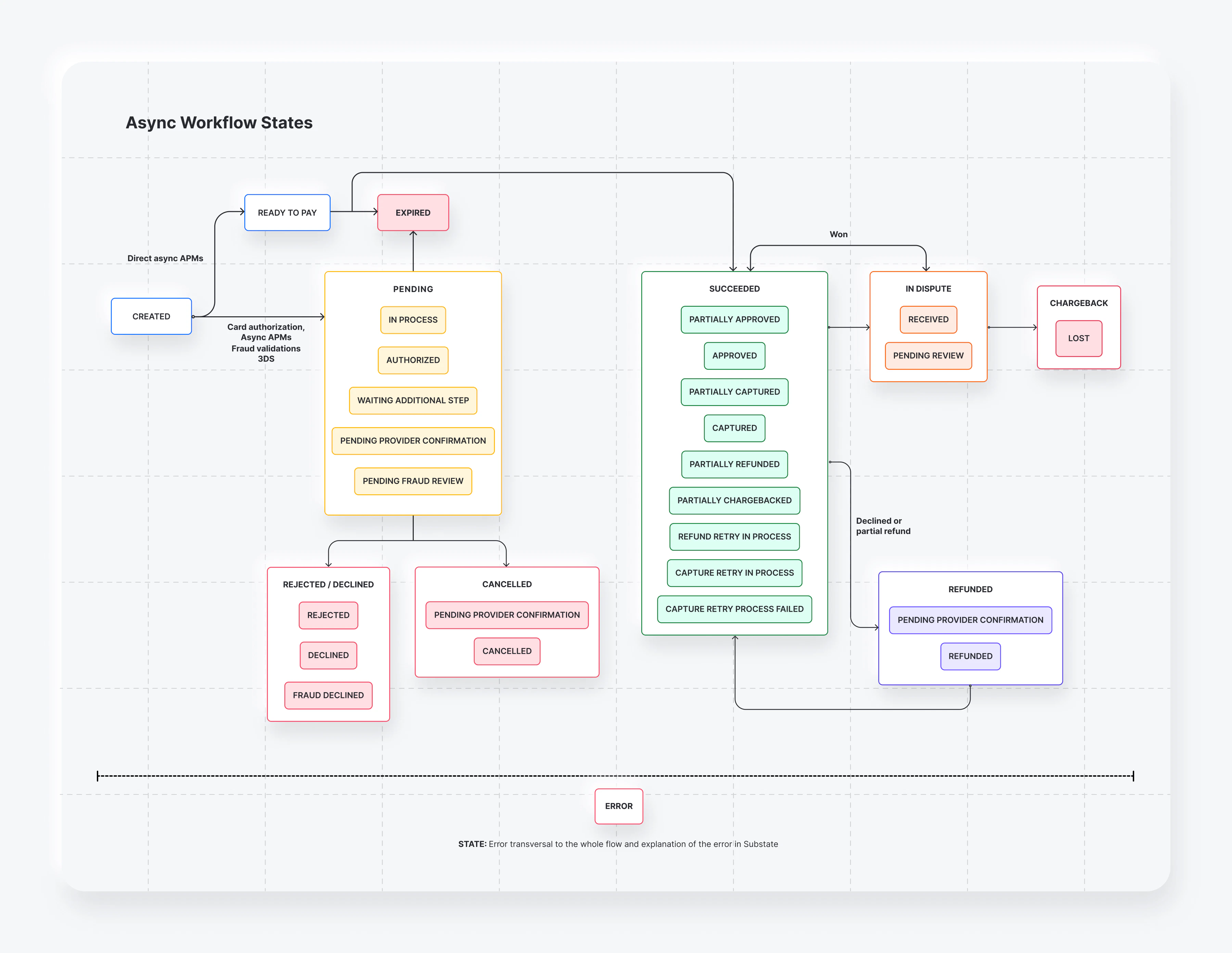
In the following workflow, you can find the different payment statuses and how they can be updated.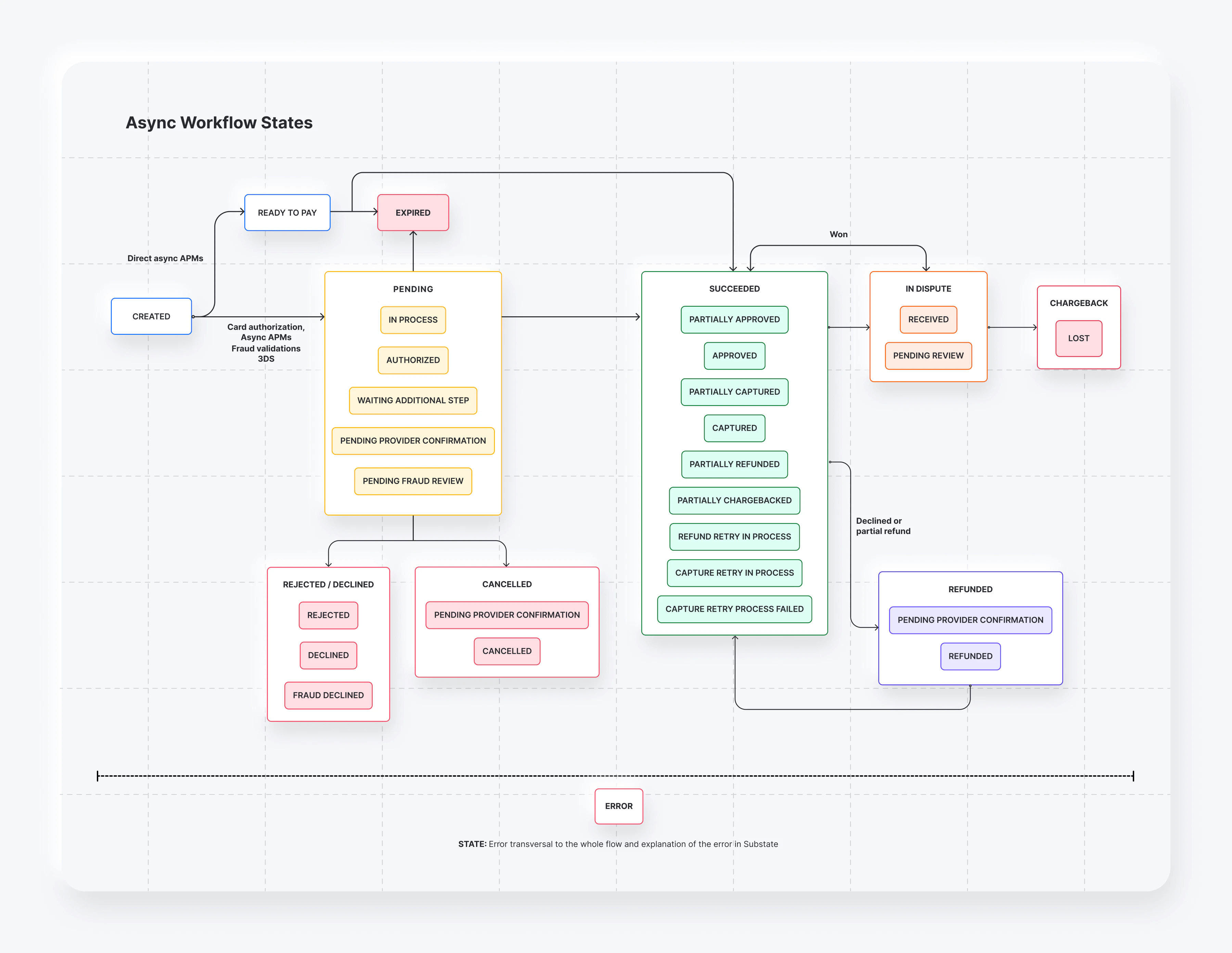
status and sub_status as the main reference for the payment’s state. A payment could have different transactions associated with it. By focusing on the payment status / sub_status, you can have the latest state regardless of how many transactions were made, giving you clear inputs for decision-making.
Payments status
The payments can have the following status and sub status.| Status | Substatus | Transaction type | Transaction status | Description |
|---|---|---|---|---|
| Initial state at the time of creating a payment. | ||||
| Purchase | Created | Initial state at the time of creating a payment. Waiting for customer action | ||
| Authorize | Succeeded | Card authorizations | ||
| Purchase | Created | The client has been redirected to the provider and we are waiting for the completion of the payment. | ||
| Purchase | Pending | 3DS/Second factor | ||
| Authorize | Pending | 3DS/Second factor for authorization flow | ||
| Purchase | Pending | Waiting for providers payment confirmation. | ||
| Fraud | Pending | Transaction is being analyzed by fraud provider | ||
| Purchase | Pending | Initial status upon payment creation | ||
| Verify | Succeeded | Zero amount card authorizations | ||
| Purchase | Expired | The offline payment method reaches its expiration date. | ||
| Authorize | Expired | Authorization expires | ||
| Purchase | Rejected | Rejected by Yuno | ||
| Capture | Error | Capture rejection by Yuno | ||
| Purchase | Declined | Providers rejection | ||
| Capture | Declined | Providers capture rejection | ||
| Fraud screening | Declined | Declined fraud screening | ||
| Purchase | Succeeded | Partial payment (payment with 2 cards) | ||
| Purchase | Succeeded | Successful payment | ||
| Capture | Succeeded | Successful capture | ||
| Capture | Succeeded | Successful partial capture | ||
| Refund | Error/Declined | Remains approved due to error in refund / cancellation | ||
| Chargeback | Error/Declined | Remains approved due to rejection in chargeback | ||
| Refund | Succeeded | Successful partial refund | ||
| Chargeback | Succeeded | Successful partial chargeback | ||
| Fraud screening | Declined | Fraud screening declined. Can occur before or after provider authorization. Payment succeeded and funds have moved. | ||
| Refund | Declined | Transaction was declined and is waiting for retry. | ||
| Capture | Declined | Transaction was declined and is waiting for retry. | ||
| Capture | Declined | Transaction was declined and retry scheme is finished. | ||
| Refund | Pending | Refund Pending | ||
| Refund | Succeeded | Successful refund | ||
| Cancel | Pending | Cancel Pending | ||
| Cancel | Succeeded | Successful cancelation | ||
| Chargeback | Created | Chargeback or Inquiry received. Decision or documentation must be provided | ||
| Chargeback | Pending | In_review | ||
| Chargeback | Prevented | Predispute deflected by provider/network. Payment reflects lost funds. | ||
| Example: timeout. | ||||
| Fraud | Succeeded | Transaction verified by fraud provider during stand alone fraud verification |
PREVENTED is a transaction status only for type = CHARGEBACK when the provider/network reports a predispute deflection. In these scenarios, only the chargeback webhook is sent; no refund webhook is emitted.REVIEW_WON is a chargeback transaction status only. When a chargeback is won, the payment returns to its previous status (for example, SUCCEEDED / APPROVED) and no new payment status is emitted.Possible states for sync and async flows
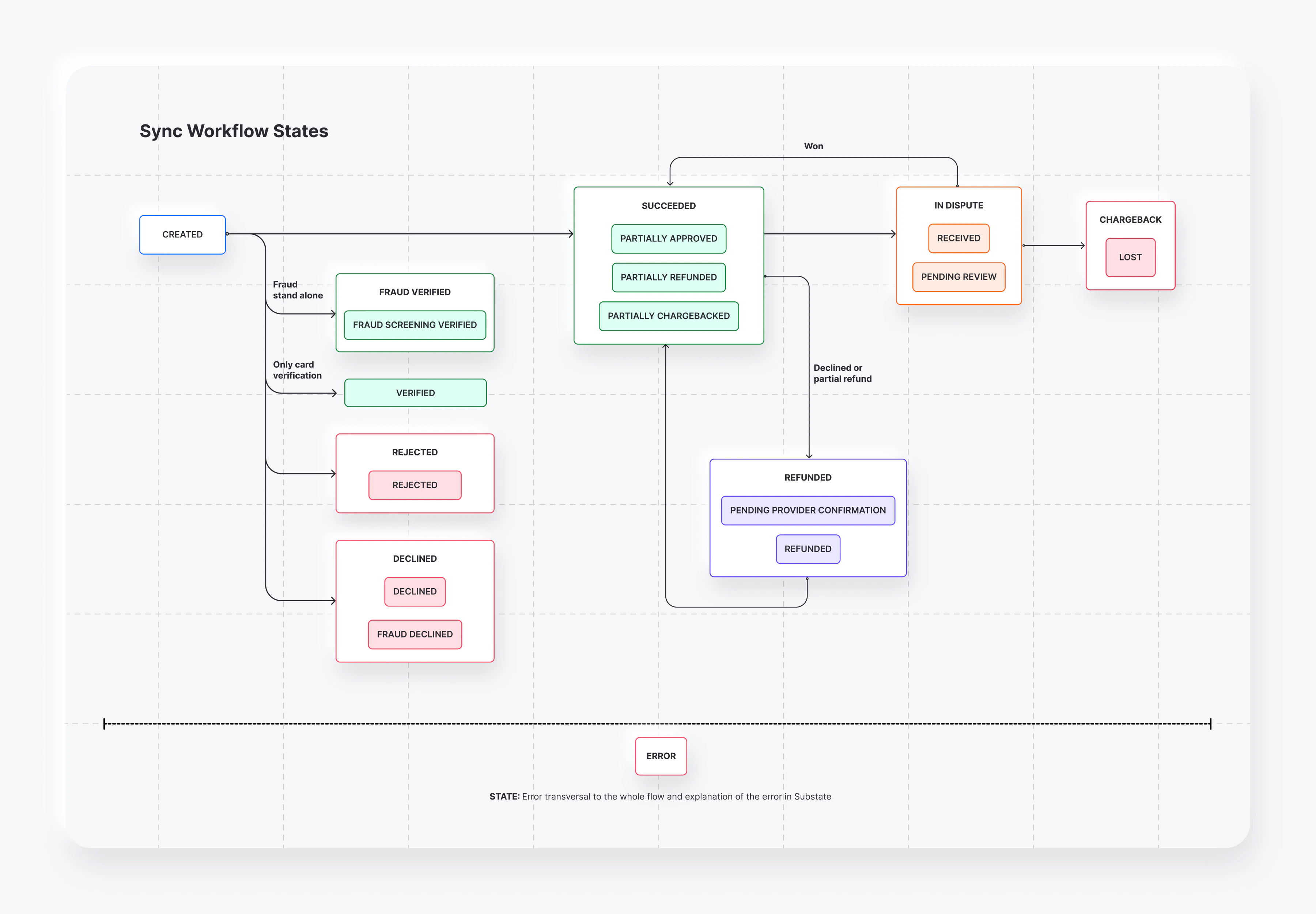
Use the diagram that matches your integration type to understand which payment states and transitions to expect.Synchronous flow
In a synchronous flow, the payment moves fromCREATED directly to a terminal status — such as SUCCEEDED, DECLINED, or REJECTED — within the same API response. There is no intermediate PENDING phase. ERROR is transversal and can occur at any point in the flow.
Asynchronous flow
In an asynchronous flow, the payment passes through aPENDING phase after creation before reaching a terminal status. During this phase, substates such as IN_PROCESS, AUTHORIZED, and WAITING_ADDITIONAL_STEP reflect ongoing processing. The final status is delivered via webhook once processing completes. Payments initiated via direct async APMs may also enter a READY_TO_PAY state, which can transition to EXPIRED if not completed. ERROR is transversal and can occur at any point in the flow.