
This page describes the current SSO setup flow, which uses a hosted portal for both domain verification and SSO configuration. If your organization set up SSO using the previous in-dashboard approach, reconfigure it using the steps below.
Prerequisites
Setting up SSO
The Security → Single sign-on tab contains two cards: Domain Verification and Single Sign-On. Complete them in order. SSO configuration is locked until your domain is verified.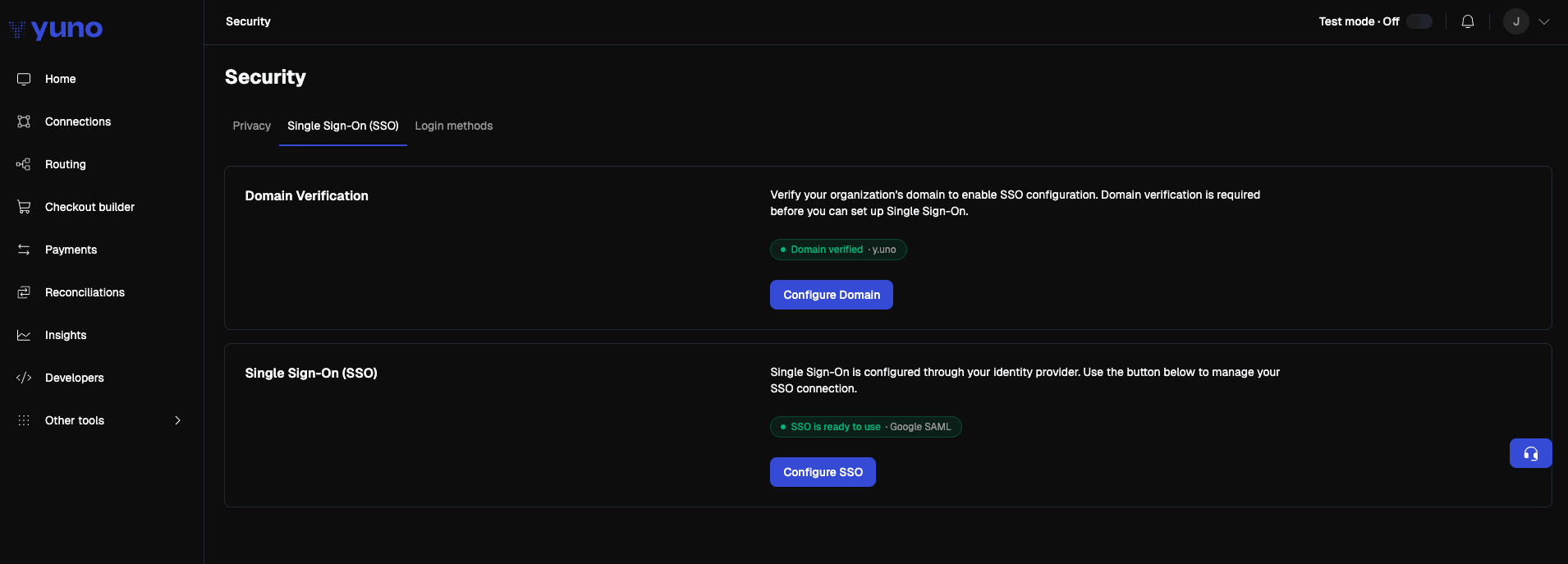
1
Verify your organization's domain
Domain verification proves that your organization owns the email domain its users will sign in with (for example, 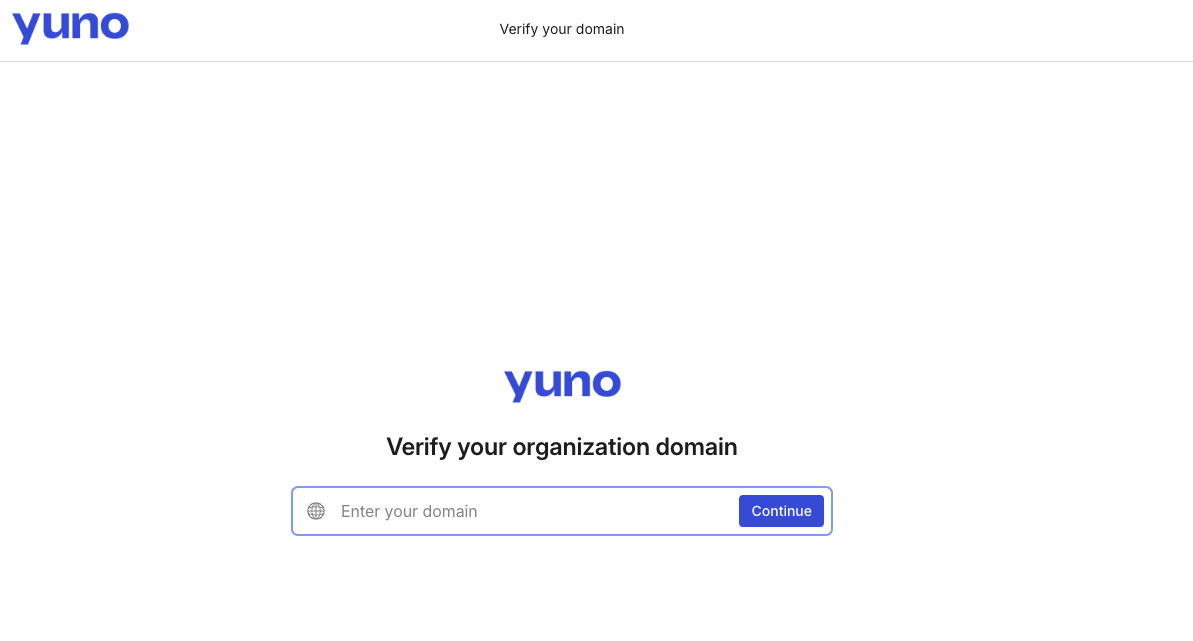
acme.com).- In the Yuno dashboard, go to your profile menu → Security → Single sign-on.
- In the Domain Verification card, click Configure Domain.
- A new browser tab opens with Yuno’s domain verification portal.
- Enter the email domain you want to verify and click Continue.
- Copy the TXT record the portal provides, then add it to your DNS provider exactly as shown, with no extra quotes or whitespace.
- Return to the portal and click Verify.
- Return to the Yuno dashboard. Once the record propagates and the portal validates it, the Domain Verification card displays a green Domain verified · your-domain.com pill.
DNS propagation can take a few minutes to a few hours. The verification status updates automatically when you reopen the page.
2
Configure your SSO connection
Once your domain is verified, the Configure SSO button on the Single Sign-On card becomes active. If your domain is not yet verified, the button is disabled and the card shows the message “You must verify a domain before configuring SSO.”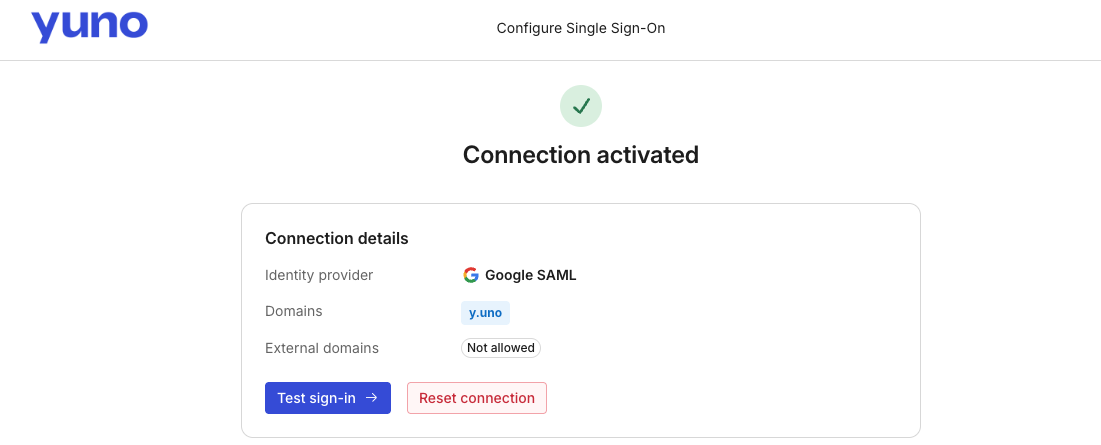
- Click Configure SSO. A new browser tab opens with the hosted SSO setup portal.
- Choose your identity provider from the catalog (Google, Microsoft Entra ID, Okta, OneLogin, JumpCloud, Generic SAML, and others).
- The portal walks you through the connection setup with provider-specific instructions. The typical fields are:
- Save the connection in the portal. The portal validates the connection end-to-end before it goes live.
- Return to the Yuno dashboard. The Single Sign-On card displays one of the following statuses:
You do not need to upload XML metadata, paste an entity ID, or upload a certificate inside the Yuno dashboard. All SAML configuration lives in the hosted portal.
Signing in with SSO
Once the connection is active, users can sign in with SSO from the Yuno login page:- Open
dashboard.y.uno. You are briefly redirected throughid.y.uno, Yuno’s authentication domain. - Enter your corporate email address and click Continue with SSO.
- You are redirected to your identity provider to authenticate.
- After your IdP authenticates you, you land back in the Yuno dashboard.
Managing SSO
- Disable or re-enable SSO: Go to Security → Login methods and toggle SSO on or off.
- Edit an existing connection: Go to Security → Single sign-on and click Configure SSO to reopen the hosted portal and update the configuration.