
- Identify and resolve discrepancies
- Ensure all processed transactions are properly settled
- Maintain accurate financial records
1
Collecting settlement files
Gather settlement files from each payment provider.
2
Comparing files
Compare those files with transactions processed through Yuno.
3
Checking balances
Check account balances with your acquirers.
4
Verifying records
Verify all records are accurate, consistent and up-to-date.
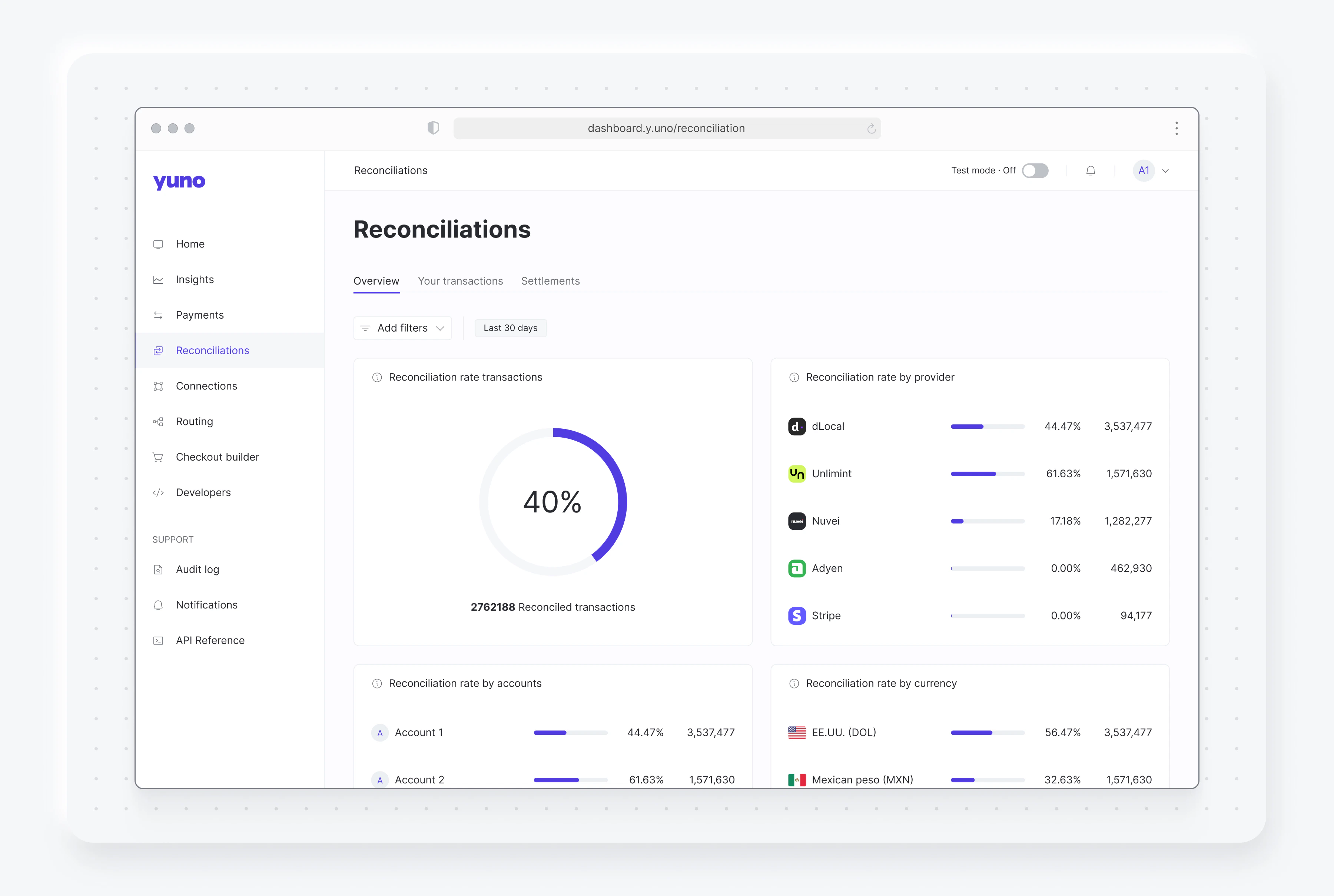
Why reconciliation matters
Reconciliation helps you identify and resolve discrepancies in your payment processing. While some discrepancies are harmless, factors like payment timing, deposits, and pending transactions can affect your bank account balances. Regular reconciliation allows you to:- Detect and prevent balance errors
- Identify potential fraud
- Track failed payments
- Ensure accurate financial records
- Verify that merchants receive all payments from successful Yuno transactions
- Ensure compliance with payment terms between merchants and acquirers
- Monitor acquisition processing costs and validate them against agreed terms
- Maintain data integrity and accurate transaction states in the Yuno dashboard
How Yuno facilitates reconciliation
Yuno provides a comprehensive transaction reconciliation process that helps you:- Ensure proper payment accreditation
- Verify compliance with payment terms
- Track processing costs
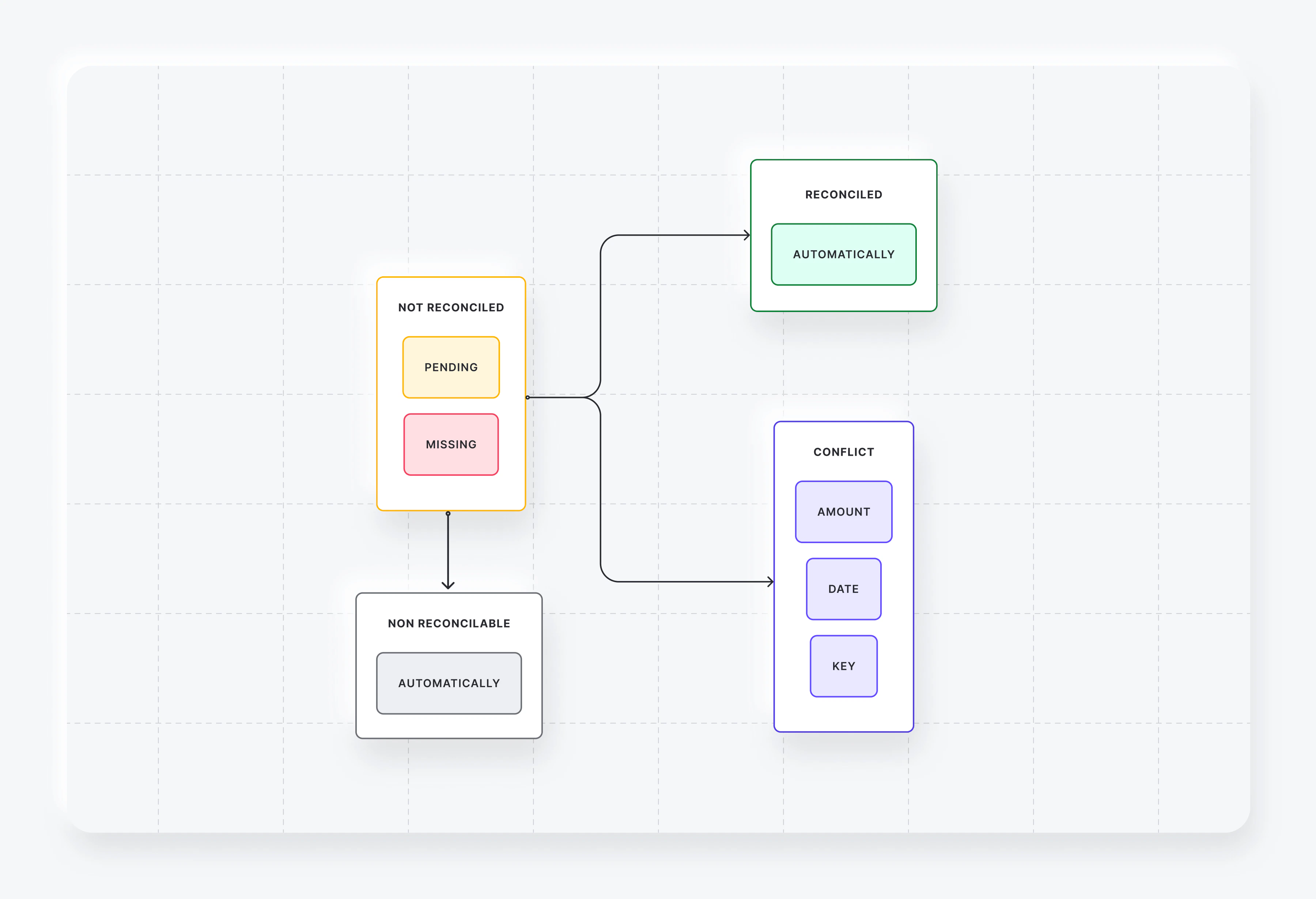
Reconciliation status
Each transaction can have one of the following reconciliation statuses:State machine
Reports
Yuno provides three reconciliation reports:-
Reconciliation Overview
- Shows reconciliation status and sub-status
- Includes reconciliation ID for each transaction
-
Settlements & Fees
- Lists all transactions in bank transfers to your account
- Includes reconciliation details for each transaction
-
Settlement Payouts report
- Lists the payouts (bank transfers) each payment provider reports having paid to your merchant accounts
- Available through the Reports API for merchants on Yuno’s new reconciliation engine; there is no dashboard tab yet. See Settlement Payouts
Getting reconciliation data by API
To track settled amounts per provider, account and currency from your backend (for example, for bookkeeping), request the reconciliation reports through the Reports API: create the report, check that it is ready and download it. See Build reports for the full flow.- Use Settlements & Fees for the settlement lines and fees of each transaction.
- Use Settlement Payouts for the gross, fees and net amounts of each transfer a provider reports having paid to your merchant accounts. Requesting it for an organization that is not yet on the new reconciliation engine returns a 400 error.
The
balance fields returned by Get Account Details belong to bank accounts created through Banking Connectivity. They are not balances held with your acquirers or payment providers.