
What Maia does
Maia is Yuno’s AI Technical Account Manager. She works alongside your Yuno team to answer technical questions, investigate payment behavior, and resolve integration issues, using the context of your organization’s setup rather than generic answers. Maia investigates before she answers, remembers your integration’s context from one conversation to the next, and when a question needs a human, she hands it to your Yuno team with the diagnosis already done.Where to find her
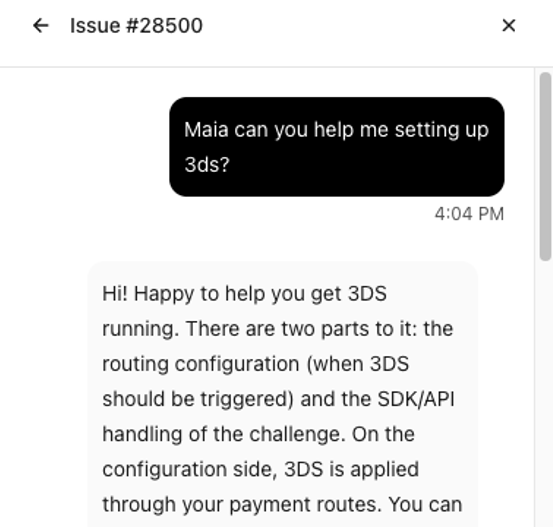
Maia is available wherever you already talk to Yuno, and she’s the same Maia everywhere: she knows your organization, your integration, and your history wherever you reach her.- Chat widget: Write your question in the support chat you already use and include the word “Maia” anywhere in the message. She joins the conversation and picks it up from there.
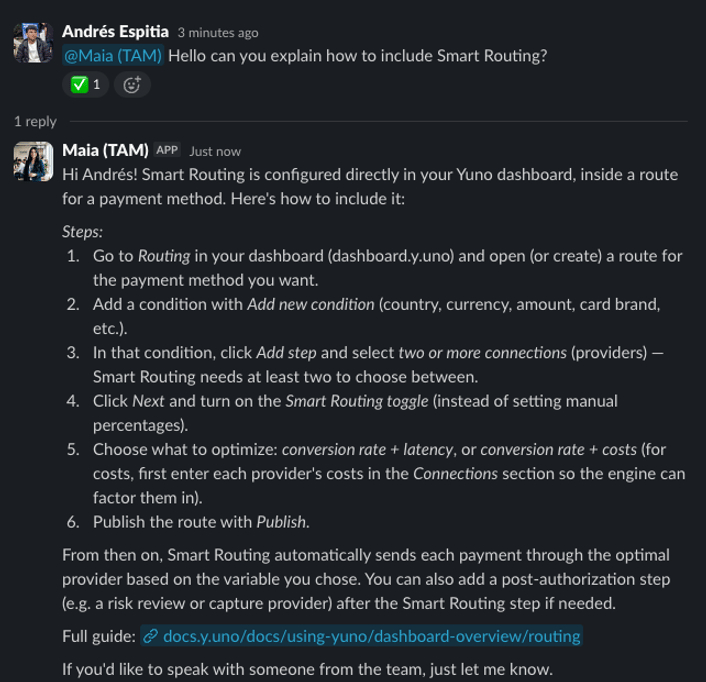
- Slack: If your team shares a Slack channel with Yuno, tag @Maia (TAM) in your message and she replies in the thread.
- Google Chat: If your team works with Yuno in a shared Google Chat space, write your question there and Maia replies in the space.
- WhatsApp and email: If your team reaches Yuno support through a WhatsApp group or by email, Maia picks up those conversations too and answers in the same thread.
Chat Widget
Slack
What Maia can help with
Payment investigation
Ask about a specific payment and Maia traces what happened across the payment flow, the request, the provider’s response, and the resulting status, and explains it in plain terms: why a payment was declined, how a refund progressed, or what a provider’s response code means for you.Ask Maia
Ask Maia
customer_payer.browser_info on every 3DS payment fixes it, and the attempt that succeeded included it.
Live status straight from the provider. For most questions, Maia answers from the status Yuno already has stored. When you need the current status straight from the provider, she can check live, for the providers that support a live status check, and always tells you which one you’re seeing: the live provider status, or the latest Yuno has on file. She also distinguishes whether the payment is in sandbox or production.
Ask Maia
Ask Maia
Integration and documentation questions
Maia answers questions about integrating and operating on Yuno, including API behavior, payment methods, tokenization, 3-D Secure, webhooks, and sandbox testing, grounded in Yuno’s current documentation and aware of how your integration is configured.Ask Maia
Webhook and event visibility
Maia checks what Yuno sent you and when: whether a webhook fired for a given payment, what event types your endpoint received, and whether deliveries are being retried, so “we never got the notification” stops being a mystery.Ask Maia
Ask Maia
Performance and pattern analysis
Beyond single transactions, Maia analyzes patterns in your payment activity over the last 3 months: approval rate changes, decline clusters by payment method or provider, and routing behavior, useful both for troubleshooting and for spotting optimization opportunities.Ask Maia
Bulk lookups from a file
When the question covers many payments, send Maia the list instead of asking one by one. Share a spreadsheet or CSV with payment IDs or order IDs and she looks them all up, adds the status, provider, and decline details you ask for, and sends the file back.Ask Maia
Incident triage
When something breaks, Maia checks the recent activity of your integration, including errors, unusual response patterns, and affected volume, and tells you where the problem sits: on the provider’s side, on Yuno’s side, or in the integration itself, so the fix starts in the right place. If it’s the provider, she says so explicitly and coordinates the escalation accordingly.Ask Maia
Finding your Yuno account team
Ask Maia who your Yuno account team is and she tells you, the people assigned to your own organization, by role, such as your Key Account Manager and Technical Account Manager. She only knows your organization’s team, and not every organization has every role assigned, so she tells you what’s on file rather than guessing at a full roster.Ask Maia
Feature requests that reach your account team
When you ask for something Yuno doesn’t offer yet, or that isn’t enabled for your account, Maia tells you so plainly, suggests what you can use today, and passes the request to your Key Account Manager with the context of what you need and why. You don’t have to repeat it in a separate email.Ask Maia
How Maia works with your team
Escalation with the work already done. Maia doesn’t replace your Yuno team, she makes it faster. When a question requires human judgment, a production change, or coordination with a provider, she escalates it with a structured summary: what was checked, what was found, and where the issue points. You never repeat yourself, and your team starts from a diagnosis instead of from zero. She follows up, so you don’t have to. Escalated tickets don’t go quiet. Maia keeps watching them: if an escalation sits without movement, she chases it, nudging the right people and keeping you informed of progress. When she escalates a provider outage, she keeps checking the provider and your own traffic; once both show the provider has recovered, she tells you the impact window and whether the payments that failed in it can be retried. She remembers your context. Maia keeps the context of your integration and your past conversations. The second time you talk about the same provider, the same error, or the same project, you don’t start over, she does. In your language. Ask in English, Spanish, Portuguese, or the language your team works in, Maia follows your lead.Data and security
- Scoped to your organization: Everything Maia sees and answers with comes exclusively from your own organization’s data and configuration. Isolation between merchants is enforced at the platform level; it is not something a conversation can change.
- No credentials, ever: Maia never asks for passwords, API keys, or card numbers, and refuses requests to display or handle them.
- Safe actions only: Maia mostly investigates and explains. She takes two actions, both limited to restoring what should already be true: re-sending a webhook to your own configured endpoint when a delivery was missed, and updating a payment’s status to match a final status the provider already reported. Beyond that, she never executes payments, issues refunds, or changes your integration’s configuration.
- A human is always reachable: Any conversation can be escalated to your Yuno team at any point, automatically when Maia judges it necessary, or immediately when you ask.
Getting access
If you don’t see Maia in the channel where you talk to Yuno yet, ask your Yuno account team to enable her for your organization. There is no integration work required on your side.Maia improves continuously. Her answers are grounded in Yuno’s live documentation and your current configuration, so what she tells you reflects the platform as it is today, not a snapshot.