
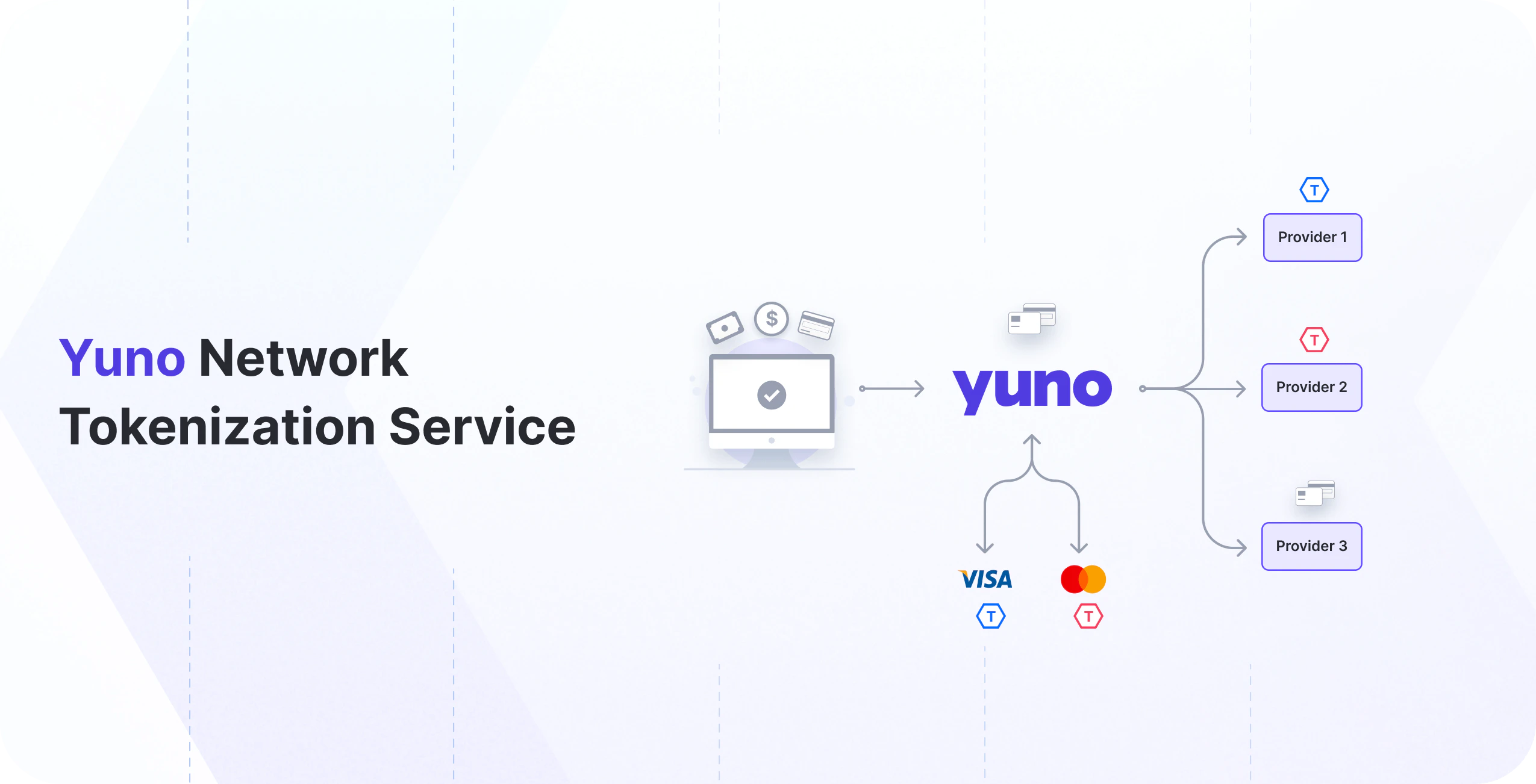
Benefits of network tokens
- Enhanced security: By replacing actual card data during transactions, network tokens play a crucial role in strengthening security measures, significantly reducing the risk of exposure to potential fraud.
- Seamless integration: With minimal integration efforts adhering to EMVCo’s network token standards, our solution ensures a seamless and efficient implementation process, allowing for quick adaptation within various payment scenarios.
- Automatic updates: Network tokens, managed and updated automatically by card networks, contribute to a reduction in shopper friction and declined payments. This inherent adaptability ensures a higher authorization rate compared to transactions without network tokens.
- Authentication support: For enhanced security and higher approval rates, you can combine network tokens with Network Token Authentication, enabling passkey-backed shopper authentication directly through the card networks.
One-time use token vs vaulted token vs network token
When the network tokens feature is enabled, Yuno generates network tokens for all cards enrolled and securely stored in our vault. This approach is fully aligned with how network tokenization is intended to work, as defined by Visa and Mastercard after the card validation, ensuring better performance, security, and reliability in recurring and future transactions. Cards not stored in Yuno (such as one-time use cards) are naturally excluded from this process, since network tokenization is not applicable in those cases.
Duplicate enrollmentsIf the same card is enrolled multiple times, each enrollment creates a distinct
vaulted_token. For network tokens, Yuno uses a network_token_fingerprint that works like the card fingerprint and is scoped to your organization and the unique identifier of the network token in the PCI vault. This means duplicate enrollments for the same PAN can map to the same network token. Use the Card Fingerprint to detect vaulted token duplicates on your side.Network tokens lifecycle
Network tokens can have the statuses described in the section below.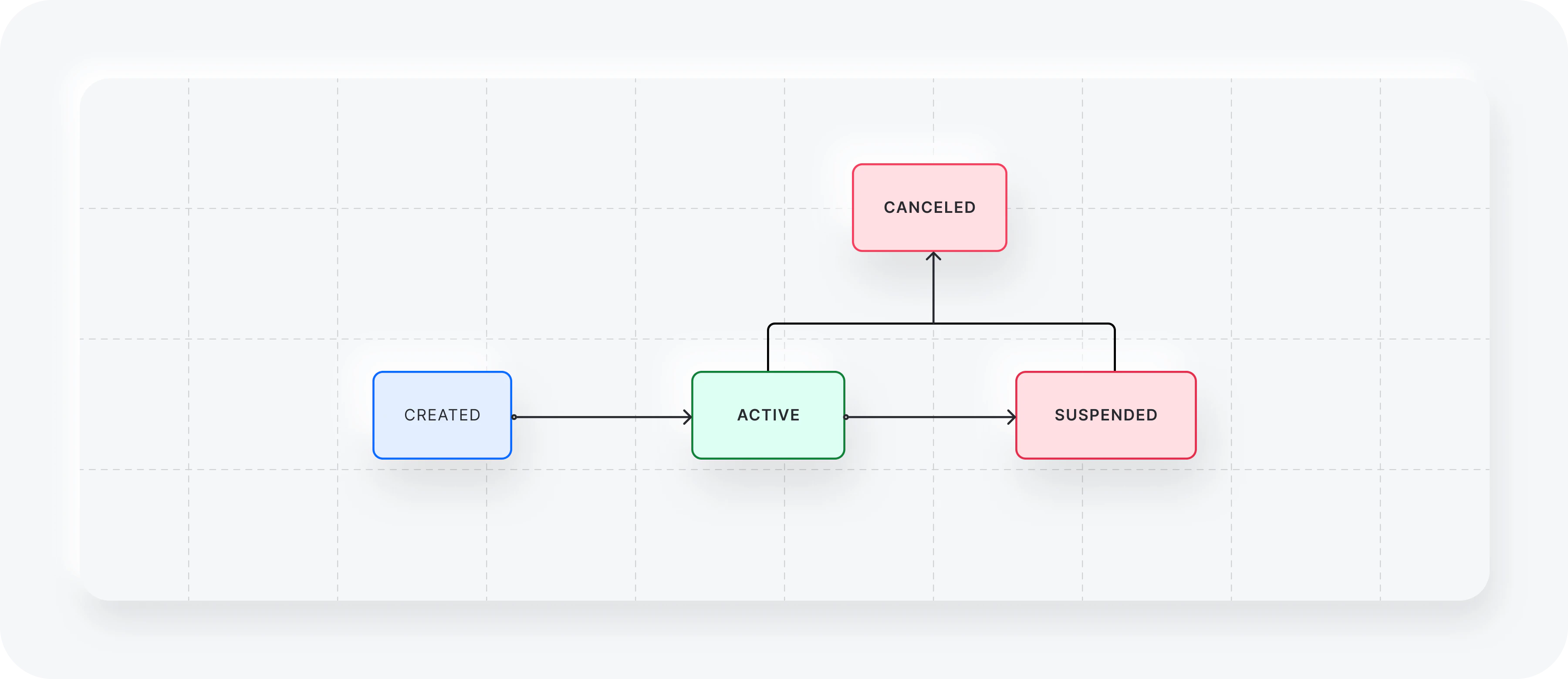
Types of integration
To make payments with network tokens, you have two available options:- Let Yuno provision and collect network tokens.
- Use your existing network tokens.
1. Let Yuno provision and collect network tokens
We procure network tokens from leading card networks, including Visa, Mastercard, and American Express. These tokens are securely stored within the Yuno infrastructure and are used instead of the actual cards during the authorization process. There is no need for additional integration to access the benefits of network tokenization when Yuno manages the solicitation and accumulation of tokens on your behalf. Simply follow the standard payment workflow corresponding to your specific card payment integration. Yuno seamlessly handles the process, substituting card details for a network token, resulting in increased authorization rates. To activate payments using network tokens, please contact our support team to provision or request the necessary credentials.Response example
During either the enrollment or payment creation, you will receive the basic information of the network token used in the corresponding operation.Choose per card
The optional booleanpayment_method.network_token lets you decide, per card, whether Yuno uses a network token. Send it on Create Payment and on card enrollment (Checkout flow and Direct API).
The field is gated by network token onboarding:
true only has an effect when your organization is onboarded to network tokens for the card’s network and the provider supports them. When it is not, the request does not fail; the payment goes with the PAN.
The field has no effect on:
- Guest (non-vaulted) cards, which never get a network token.
- Wallet payments (Apple Pay, Google Pay, Samsung Pay).
- Network tokens you send yourself with their cryptogram (merchant external network tokens).
payment_method.network_token is a request option. It is a different field from the payment_method.detail.card.network_token object, which carries the token data shown in the response example above and the network tokens you send yourself (see the next section).
2. Use your existing network tokens
After setting up the necessary credentials in your Yuno account and contacting our support team, you will be ready to execute tokenized transactions seamlessly.With this option, Yuno acts only as a passthrough for the network token information. The merchant must provide the necessary information about the network tokens so Yuno can share them with upstream payment partners.
Payment request fields
Along with thecard_data object, these fields should be added to the payment_method.detail.card.network_token.token_data object for sending payments using Yuno’s API.