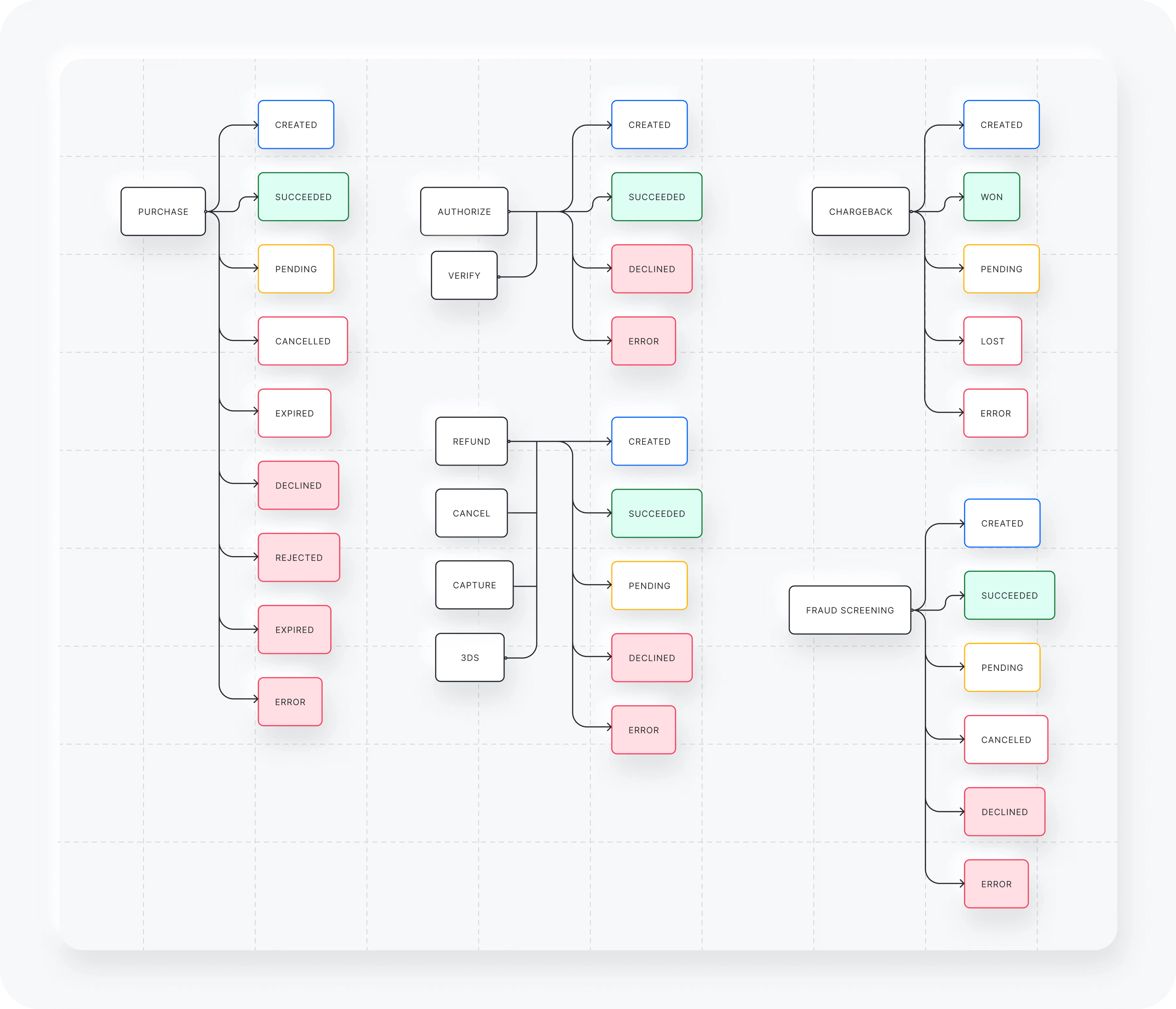
What is a transaction?
Each payment has one or more associated transactions. A payment on Yuno can go through multiple processors via fallbacks, retries, or split routing. Each of these paths can add multiple transactions to the payment. You can check all transactions related to a payment in the payment timeline on your Yuno dashboard. On Yuno, transactions are divided into primary and secondary transactions. In addition, each transaction can have a different status depending on its processing stage.Transaction types and statuses
Primary transactions
Primary transactions initiate a payment and can be one of three types:- Purchase: A standard sale transaction.
- Authorize: A transaction used to authorize a payment amount to be captured at a later time.
- Verify: A transaction to verify if the customer is using a valid payment method.
Secondary transactions
Secondary transactions refer to additional transactions that affect the final outcome of the payment and primary transaction. The secondary transactions can be:- Refund: A refund made to the initial transaction, which can be full or partial.
- Cancel: A cancellation of an initial authorization.
- Capture: A capture of funds from an initial authorization transaction, which can be full or partial.
- Chargeback: A dispute initiated by the customer regarding the initial transaction.
- 3DS: A 3D Secure (3DS) verification of an initial transaction.
- Fraud screening: A fraud screening verification of an initial transaction. These are represented as
FRAUD_SCREENINGin your payments response. - Marketplace transfers: Standalone transfers within a Marketplace, represented as
SPLIT_TRANSFERfor forward transfers andSPLIT_TRANSFER_REVERSEfor standalone reversals. Transfers linked to a payment transaction can also be reversed and are represented asSPLIT_TRANSFER_REVERSAL.