
Unfold the forms
Configure our unfolded forms and each method’s form shows up already open inside the payment methods list, so shoppers enter their details without an extra tap. You enable it from the Checkout Builder in your Yuno Dashboard, no code needed.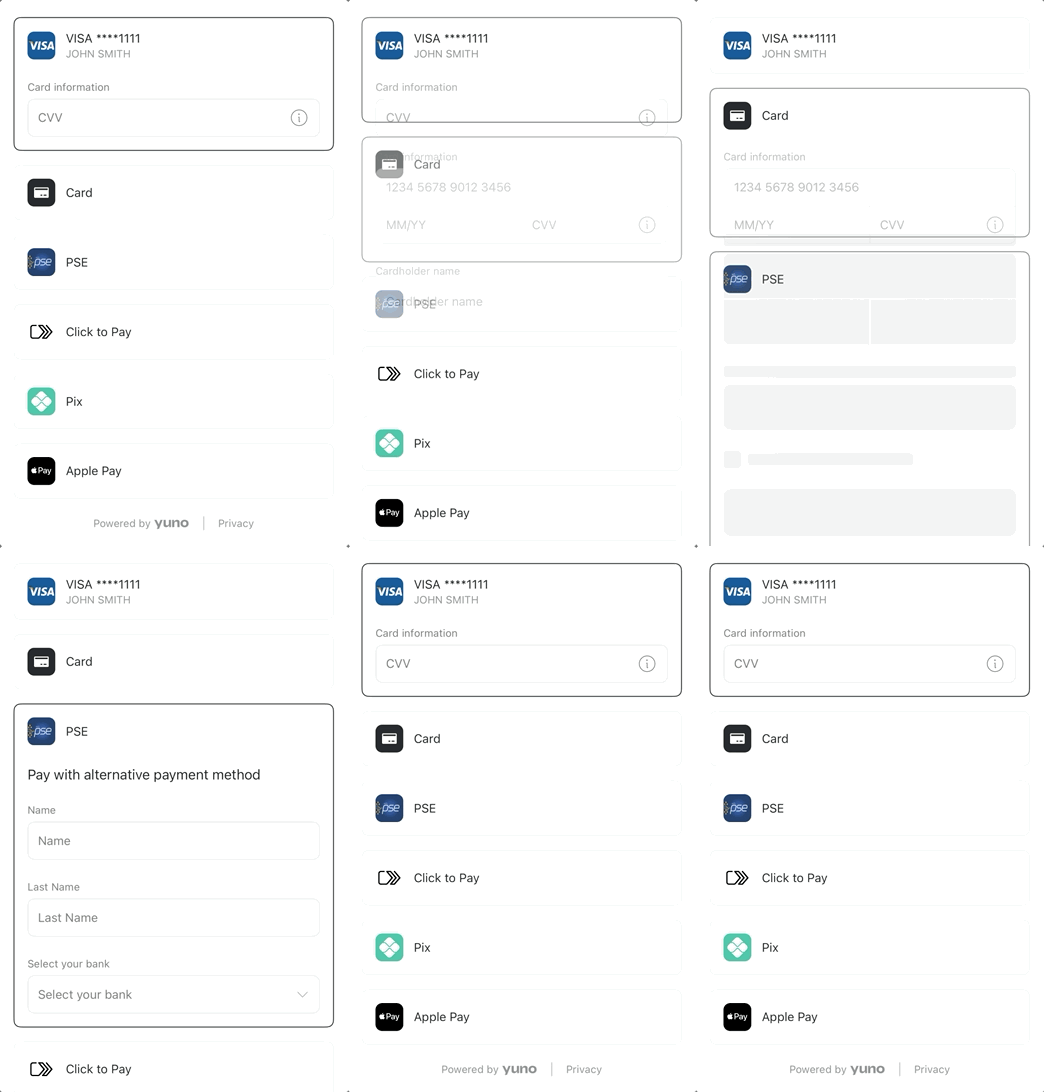
Unfolded: the form is already open, shoppers just type.
This is what our form looks like
One design, rendered natively on every platform.- Card
- Alternative payment methods
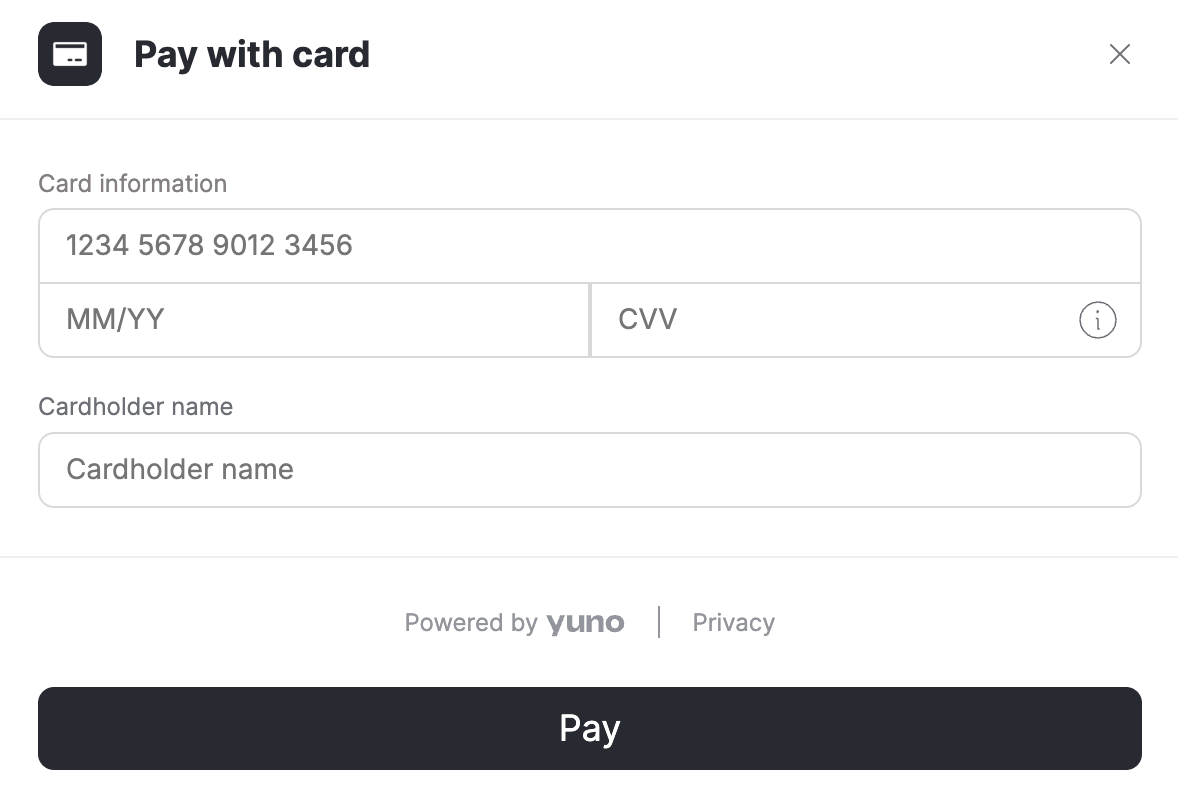
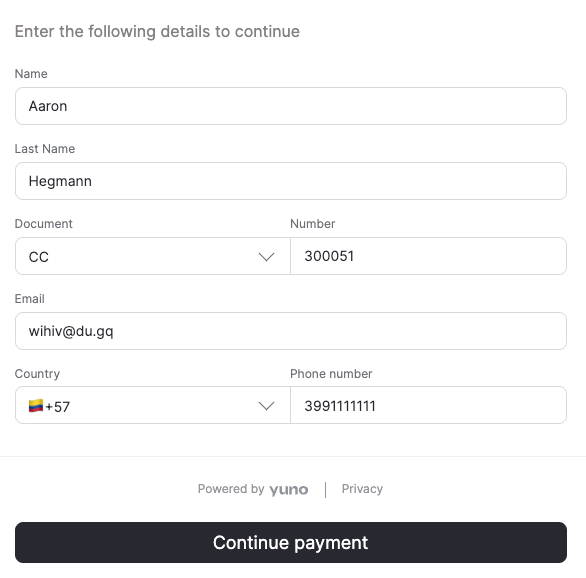
How many fields the form shows depends on the payment method’s provider
and on any extra information you choose to require. You configure both
from the Checkout Builder in your Yuno Dashboard.
The cursor moves for you
Shoppers just type. As each field completes, focus jumps to the next one, with no tapping between fields. The card number is formatted and the brand detected as they type.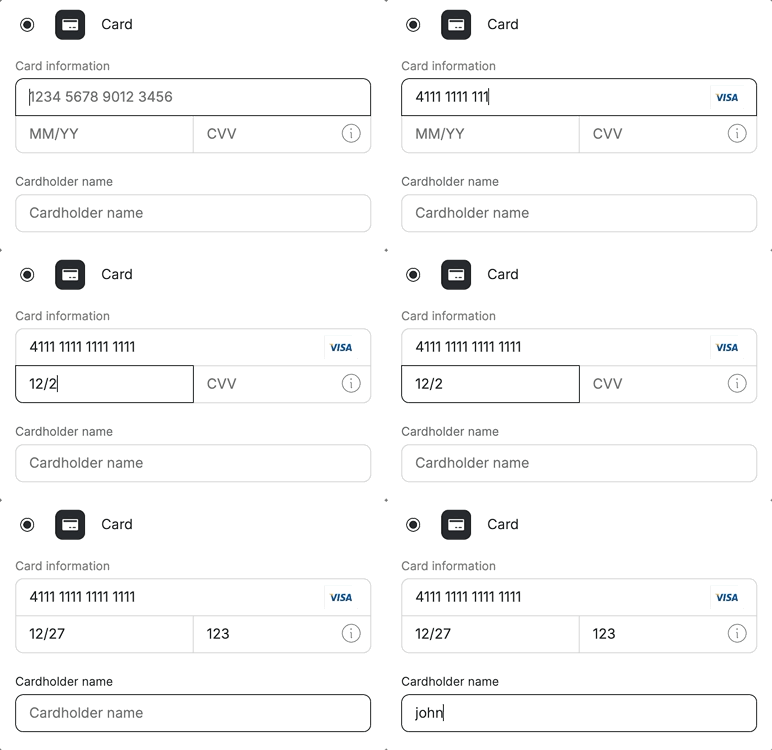
Focus advances on its own: number → expiry → CVV → name.
Addresses fill themselves
Cards saved on the device fill in with a tap. On iOS and Android, when the shopper types their postal code, the SDK completes the street, city, and state for them. On Web, address autofill depends on the address autofill setting of your account. With it on, the address form offers address search and, for Brazil, completes the address from the postal code. With it off, the shopper types the address fields.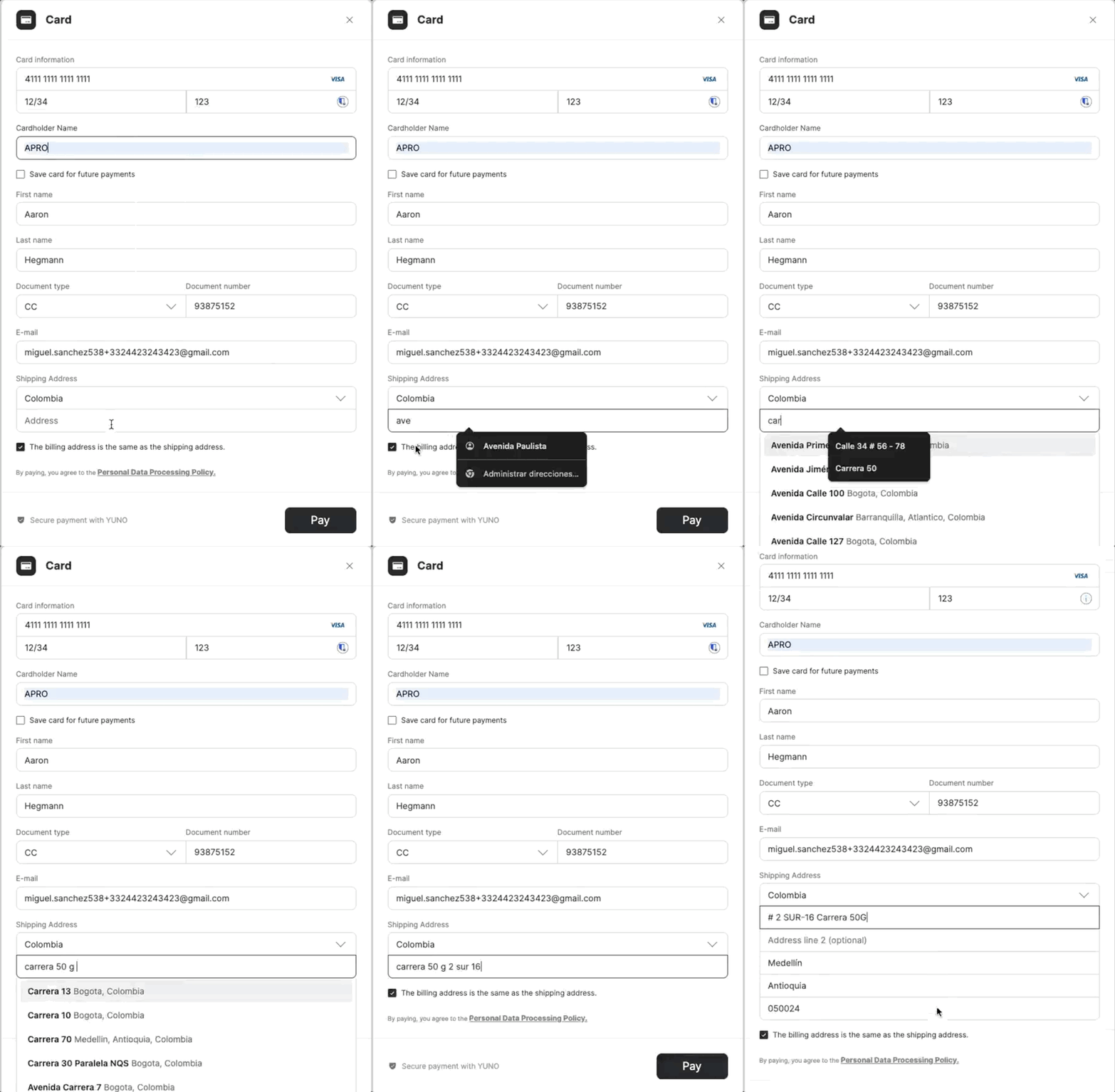
Type a postal code and the SDK fills in the rest.
Related
- Show a method list. The pre-built payment methods list, express buttons included.
- Style the checkout. Customize the form’s visual appearance.
- TransactionConfig. Full configuration reference.