> ## Documentation Index
> Fetch the complete documentation index at: https://docs.y.uno/llms.txt
> Use this file to discover all available pages before exploring further.
# Subscription Status
With Yuno, managing subscriptions becomes seamless – no additional websites or applications are required. Our intuitive subscription management system enables you to create, pause, resume, and cancel subscriptions.
## Workflow
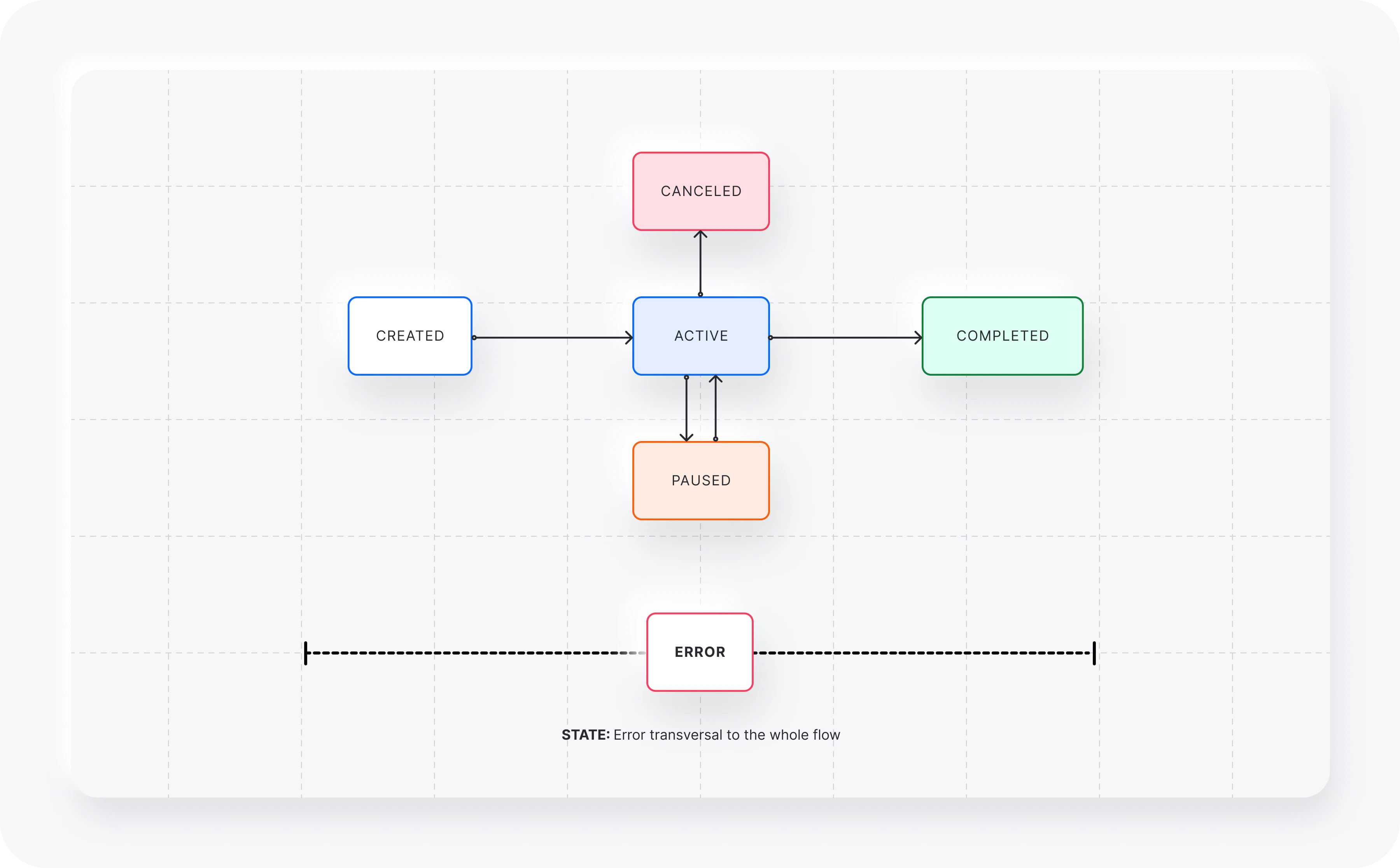
In the following workflow, you can find the different subscription statuses and how they can be updated.
 ## Subscription status
Subscriptions can have the status described in the table below.
| Status | Description |
| ----------- | ------------------------------------------------------------------------------------ |
| `ACTIVE` | The subscription has been created with an associated customer and is already active. |
| `PAUSED` | The subscription has been paused and can be reactivated. |
| `COMPLETED` | The subscription is completed because it reached the end date and time. |
| `CANCELED` | Subscription canceled. |
| `ERROR` | An error occurred in the process. |
## Subscription status
Subscriptions can have the status described in the table below.
| Status | Description |
| ----------- | ------------------------------------------------------------------------------------ |
| `ACTIVE` | The subscription has been created with an associated customer and is already active. |
| `PAUSED` | The subscription has been paused and can be reactivated. |
| `COMPLETED` | The subscription is completed because it reached the end date and time. |
| `CANCELED` | Subscription canceled. |
| `ERROR` | An error occurred in the process. |